
A memorial for every pet you've cared for
When a pet passes away, move them to the Rainbow Bridge and Walkies makes a memorial page with all their photos, videos and walks from their time with you. Share the link with their family, who can download every photo and video.

In loving memory
The page opens with their photo, their name and "In loving memory", then everything they did with you: walks, visits, miles walked, pees and poos.
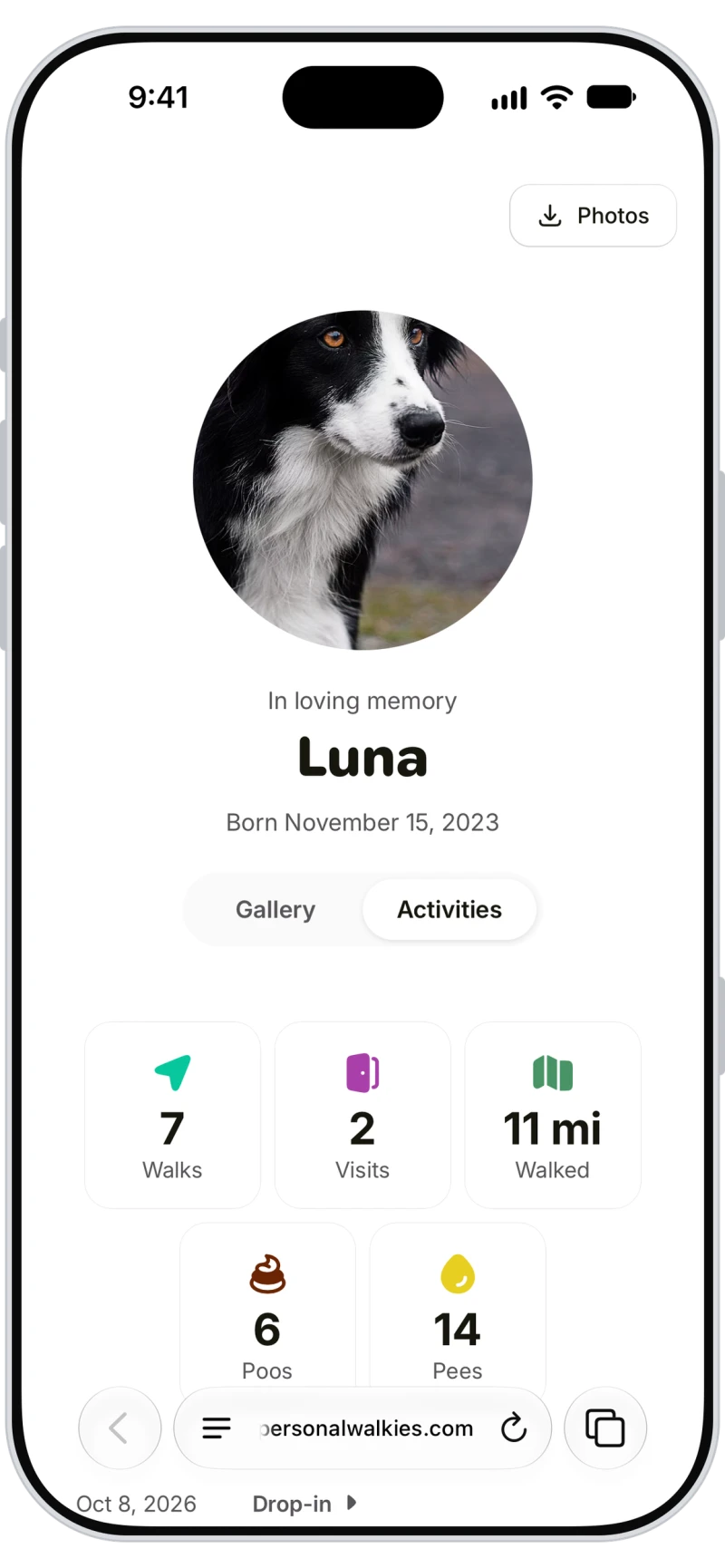
Every photo and video in one place
The Gallery gathers every photo and video from their walks, visits, taxis and stays, and family can download them all in one go.
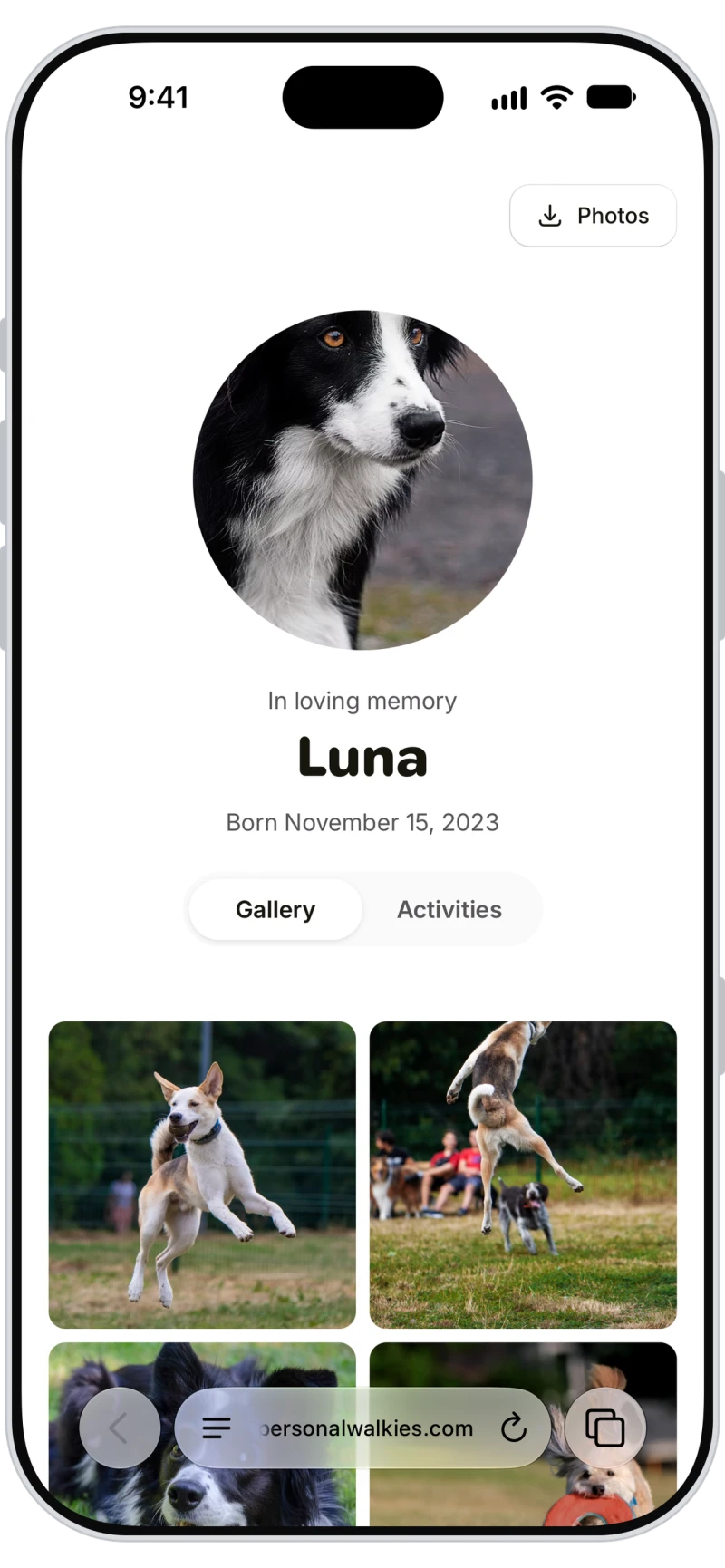

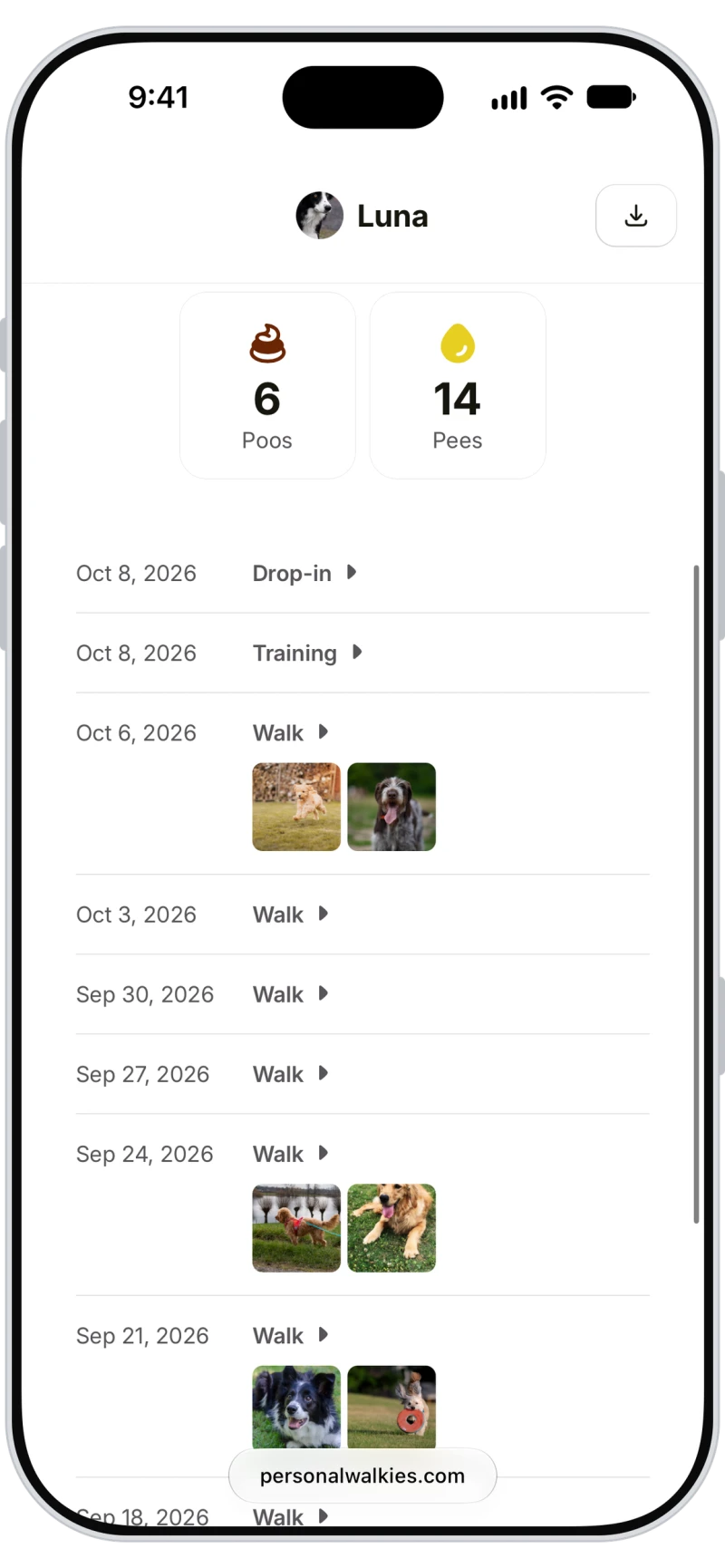
A timeline of their walks and visits
Activities lists each walk and visit by date with its photos, and each one opens the full report.
Frequently asked questions
Open the pet, tap More, then Passed away, then Goodbye. The pet moves to the Rainbow Bridge and its memorial page is made automatically. Tap More, then View memorial page to see or share it.
Anyone you share the link with. It doesn't need an app or an account, and it isn't listed in search engines.
Past walks, visits and invoices are kept. The pet comes off the client's pet lists, birthdays and vaccination reminders, and appointments already booked aren't cancelled automatically. Choose Unarchive to bring the pet back, which removes the memorial page.
Yes. Owners can move a pet to the Rainbow Bridge in the Walkies Journal app and open the memorial page from Settings.