Widgets and Live Activities for pet sitters
Start a walk, drop-in or taxi from your Home Screen, see today's appointments at a glance, and follow a walk's timer and distance on the Lock Screen and in the Dynamic Island, logging pees and poops without unlocking.
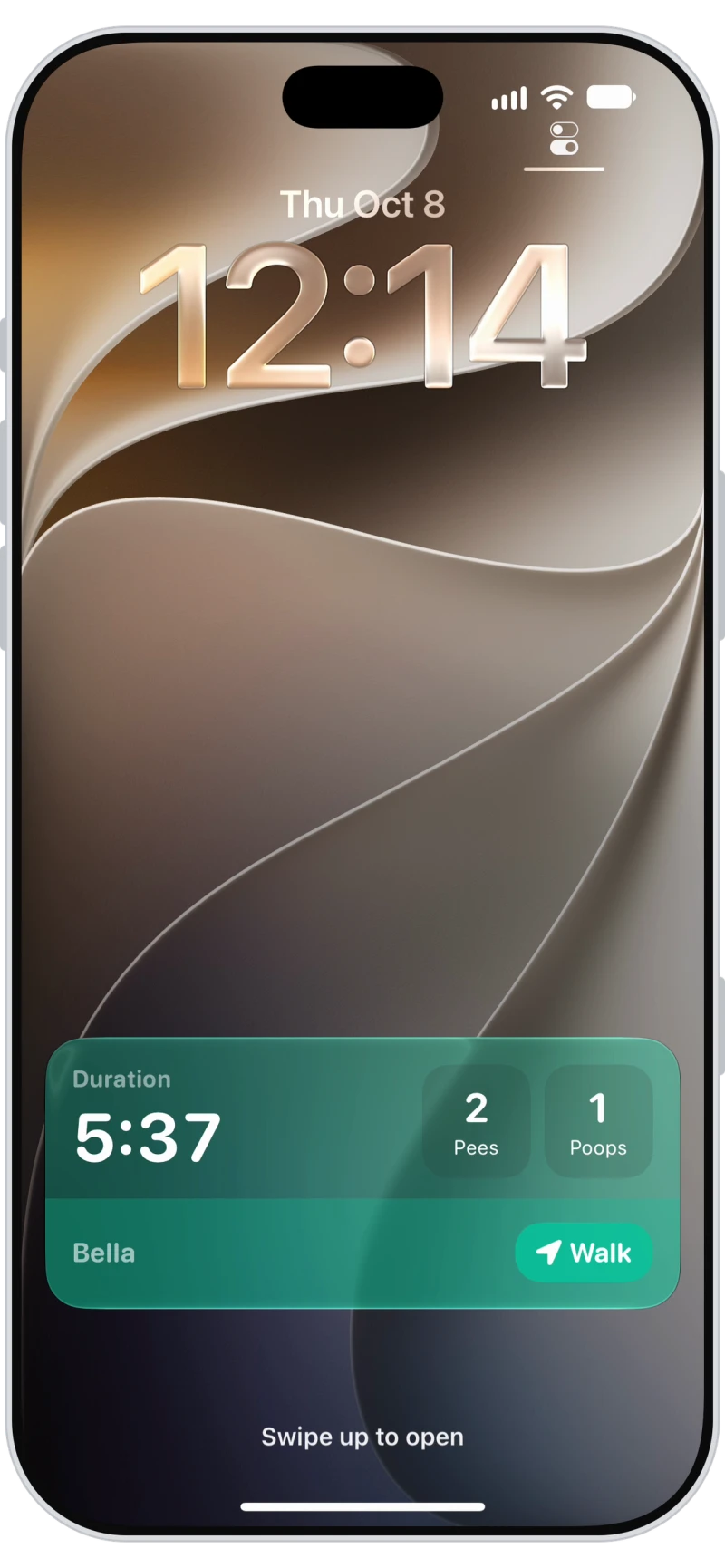
Live Activities on the Lock Screen
While a walk, hike, run, taxi or trip is running, the Lock Screen shows the timer, plus distance, pees and poops for walks. Add pees and poops straight from the Lock Screen without opening the app.
Activities in your Dynamic Island
Use your phone for anything else and the walk keeps ticking in the Dynamic Island with its time and distance, one tap from the full walk screen.
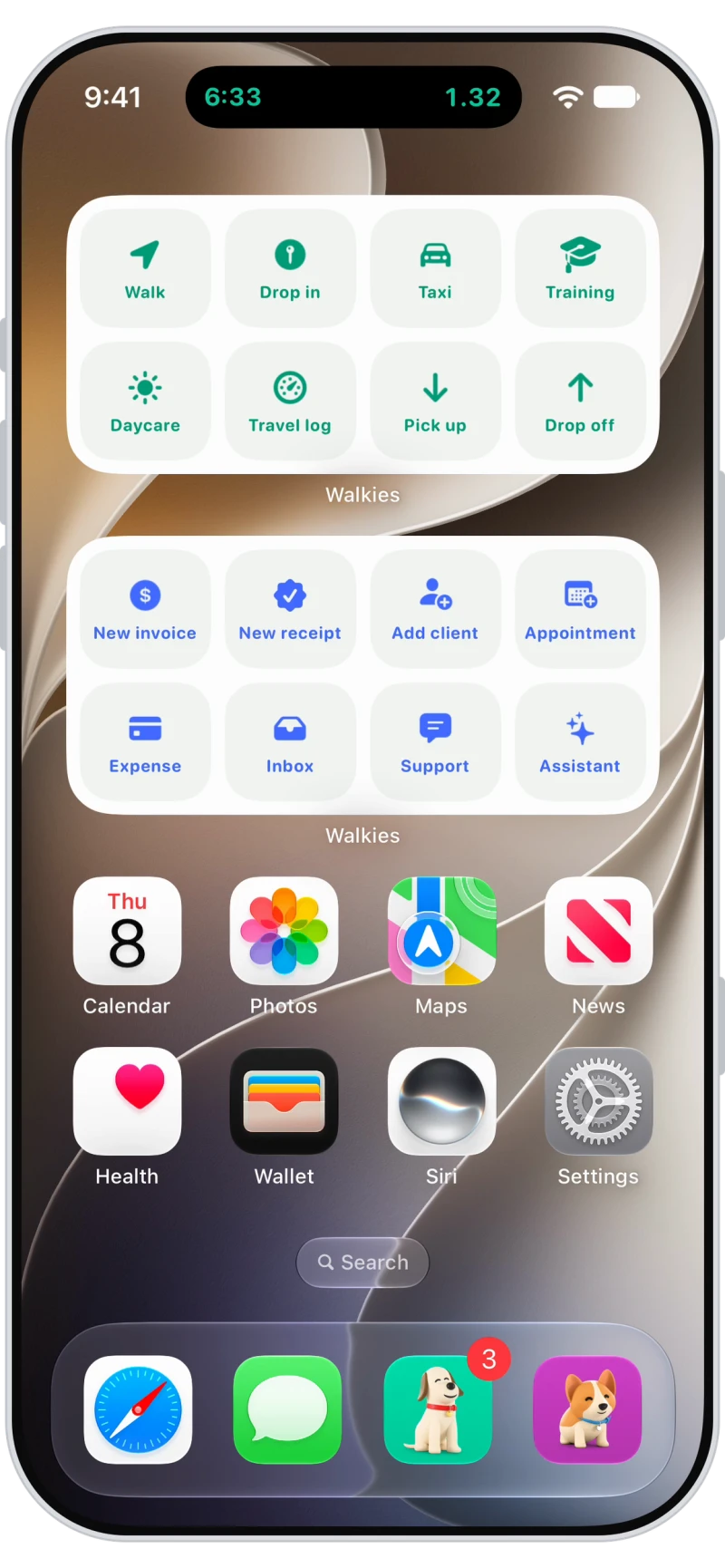
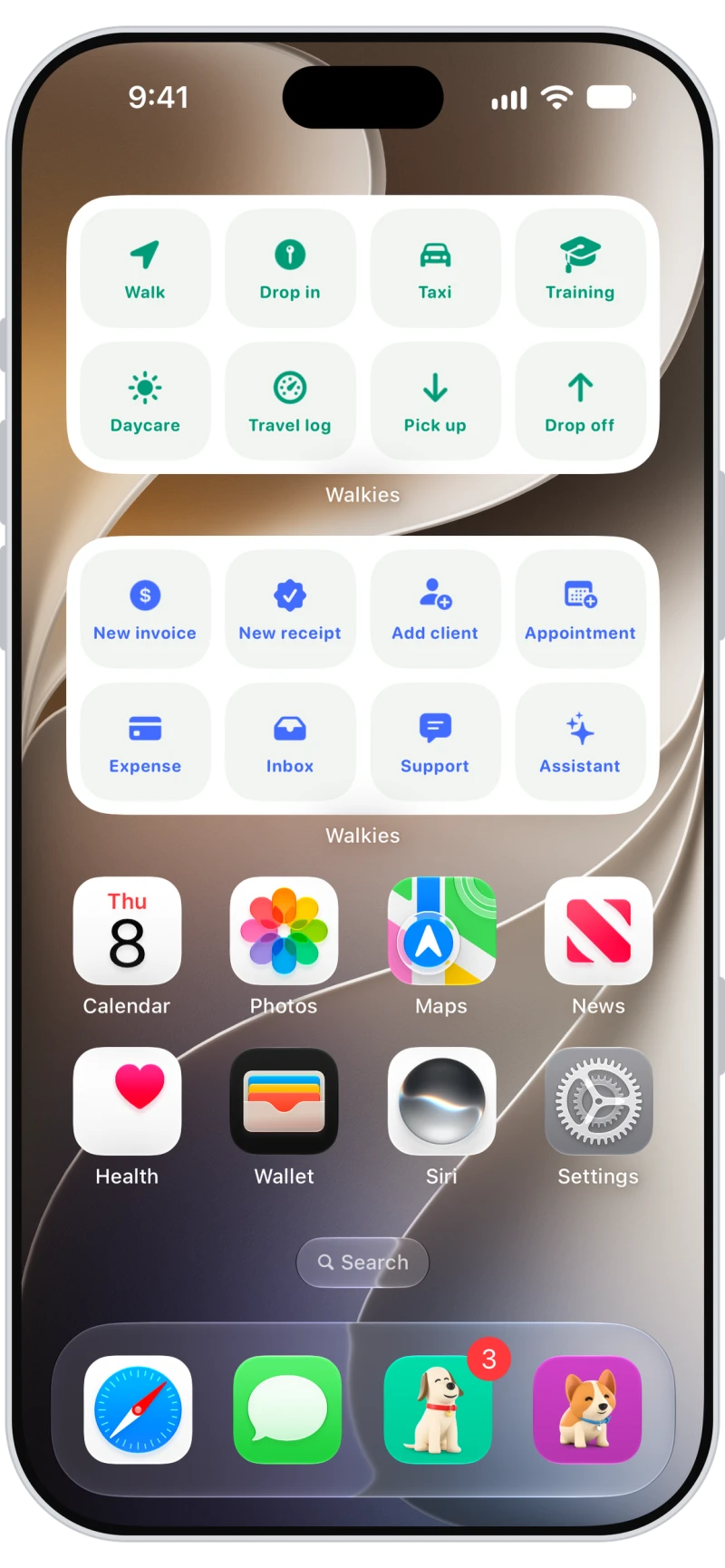
Quick Start and Quick Action widgets
Quick Start jumps straight to choosing pets for a walk, drop-in, taxi, training, daycare, travel log, pick up or drop off. Quick Action opens a new invoice, receipt, client, appointment or expense, your inbox or the assistant.

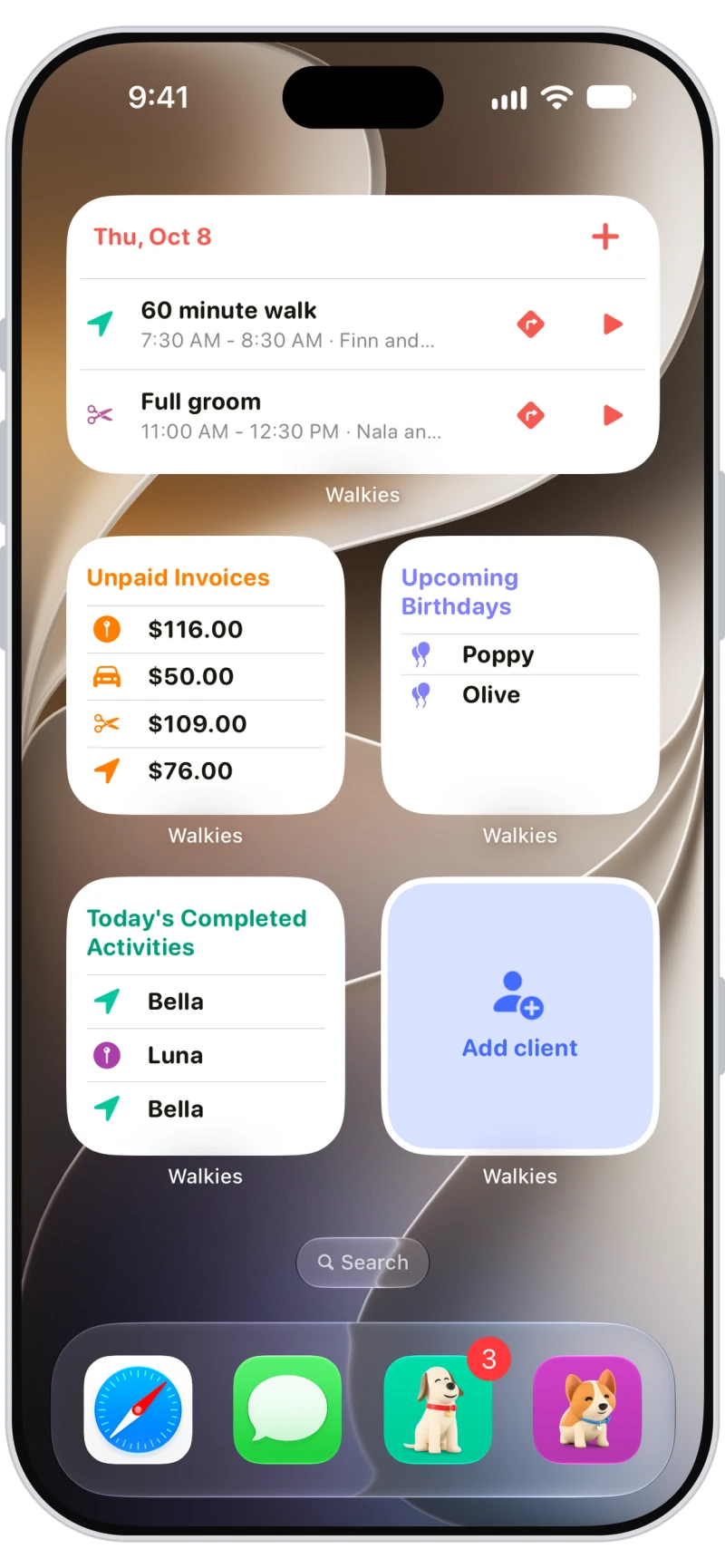
Appointments, unpaid invoices and pet birthdays
See your next appointments with one-tap directions and a start button, what's still unpaid, whose birthday is coming up and what's been done today. Each comes in small, medium and large.
Frequently asked questions
Yes. Quick Start and Quick Action widgets start walks, visits, invoices and more, and other widgets show today's appointments, unpaid invoices, upcoming pet birthdays and completed activities. Unpaid invoices and quick actions are for admins.
Yes. During a walk, the Live Activity on the Lock Screen has buttons to add pees and poops.
Yes. Siri and Shortcuts can add a pee or poop to your walk and tell you about today's appointments or your next one. These work in English.