
Finance reports for your pet business
Know exactly how your business is doing. Walkies shows profit and loss, every payment, invoice totals by service and client, what you're due to earn from your calendar, and your expenses with receipts, and every report exports as CSV.

A finance dashboard for your pet business
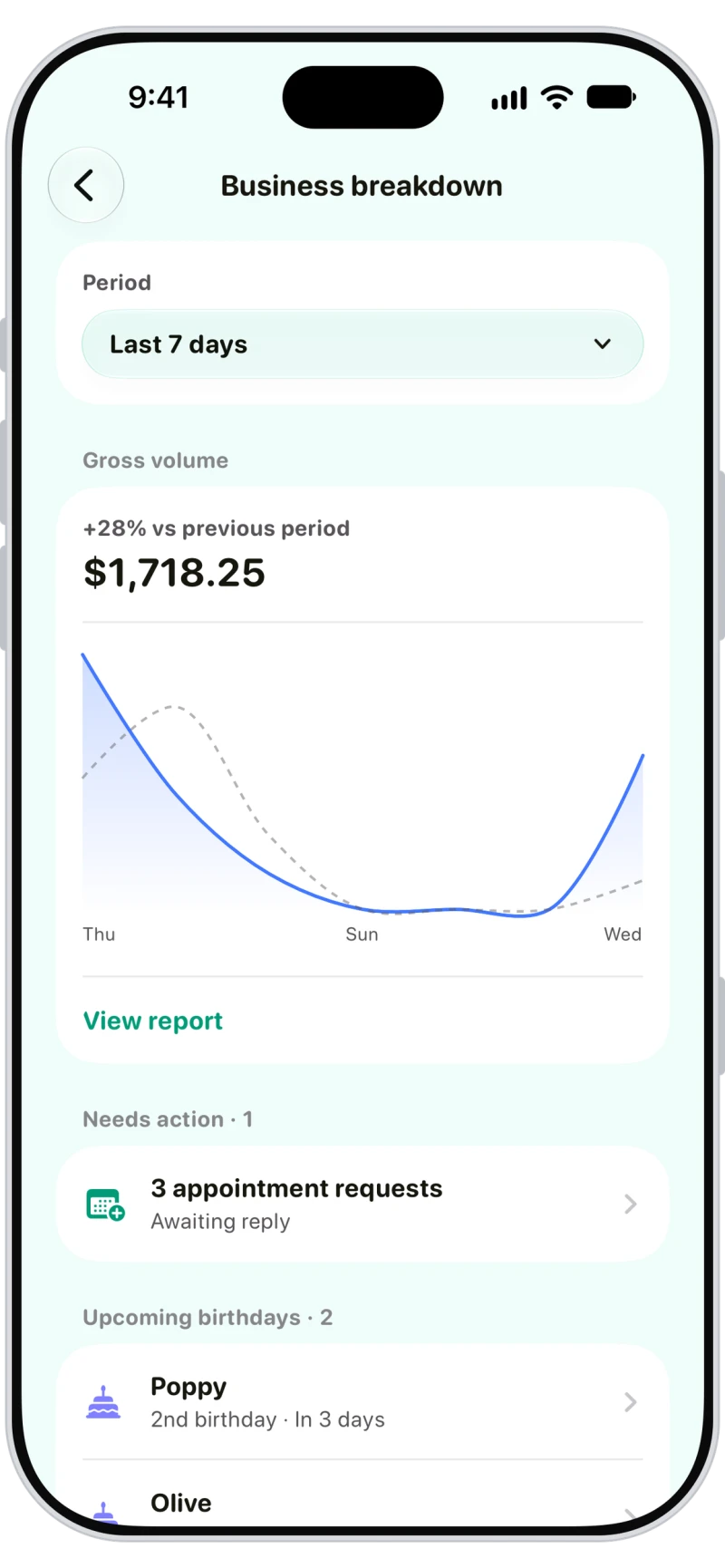
Business breakdown shows gross volume against the previous period, what needs your attention, like booking requests, and upcoming pet birthdays.
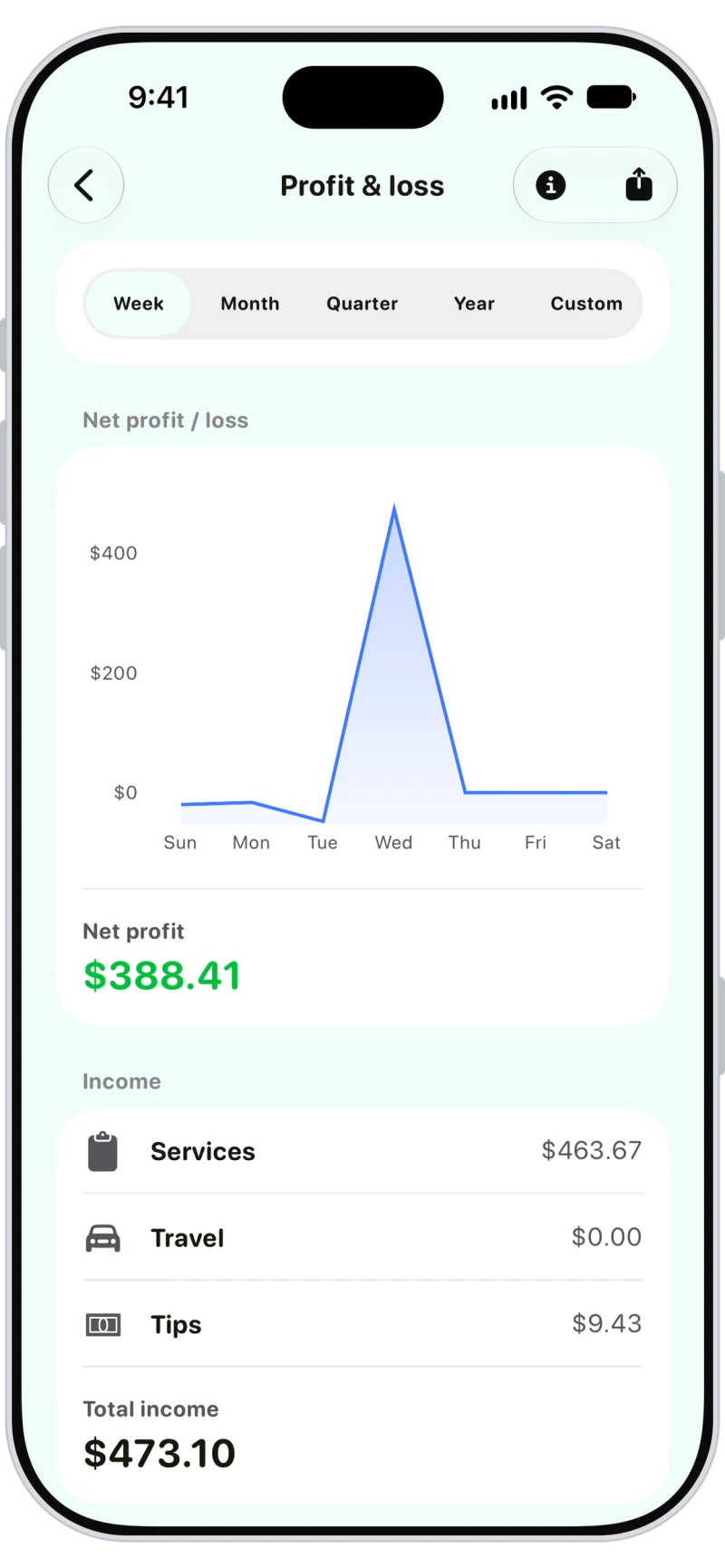
Profit and loss report
Income from payments received, expenses by category and net profit, with a chart. Tax collected and card processing fees are shown separately, for any week, month, quarter, year or custom dates.
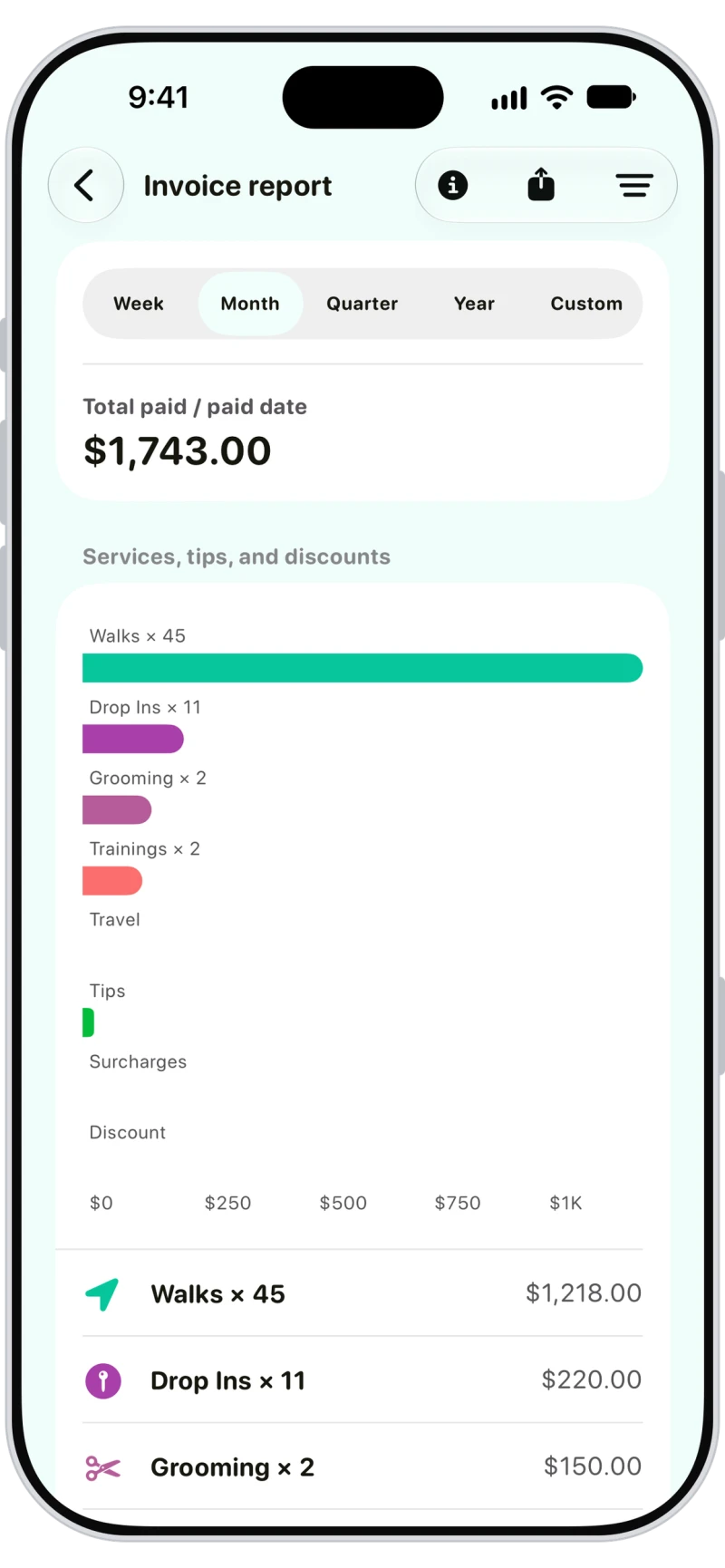
Revenue by service and client
The invoice report totals paid, unpaid or all invoices by service, client and payment method, with travel, tips and discounts broken out.

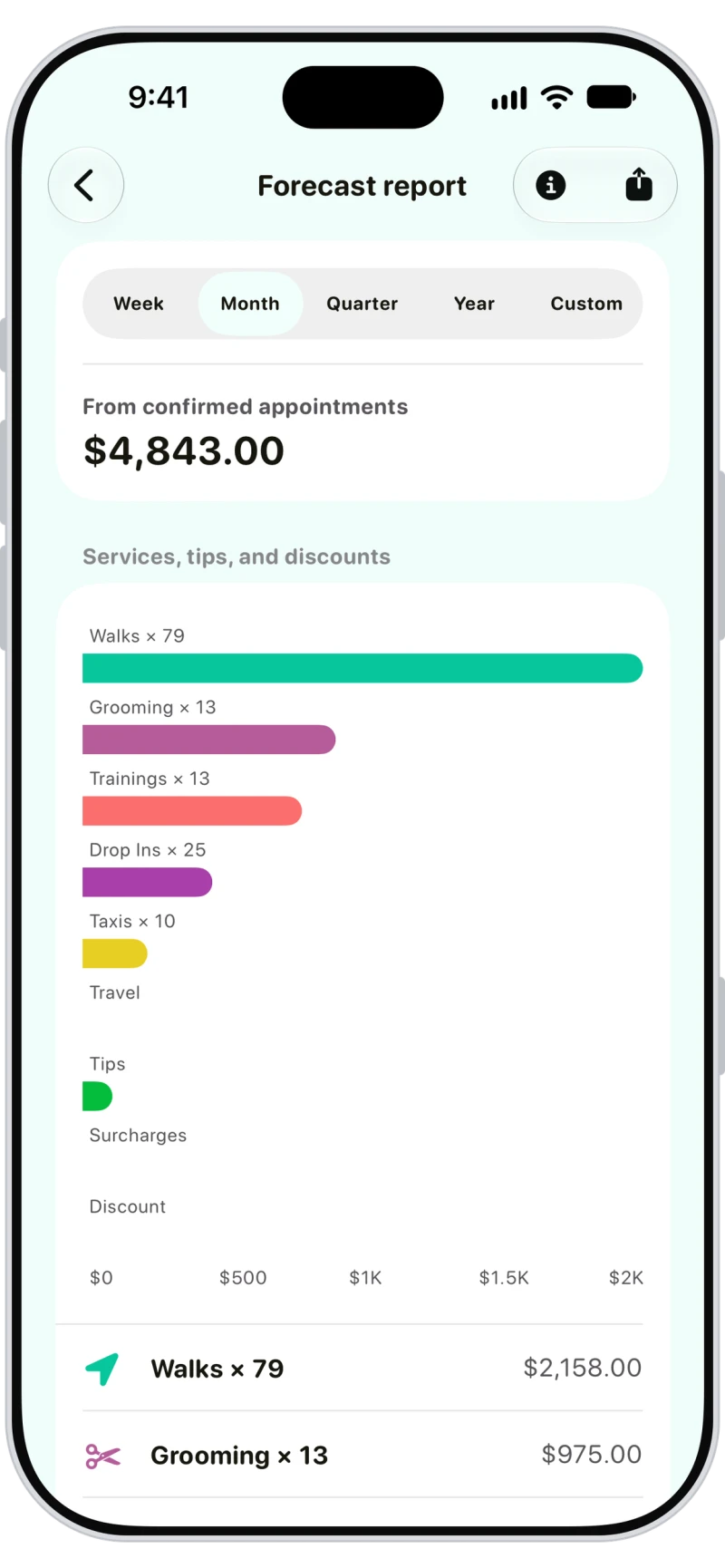
Revenue forecast from booked appointments
The forecast shows what you're due to earn from the appointments already booked, by service and by your top clients.

Track expenses with receipts
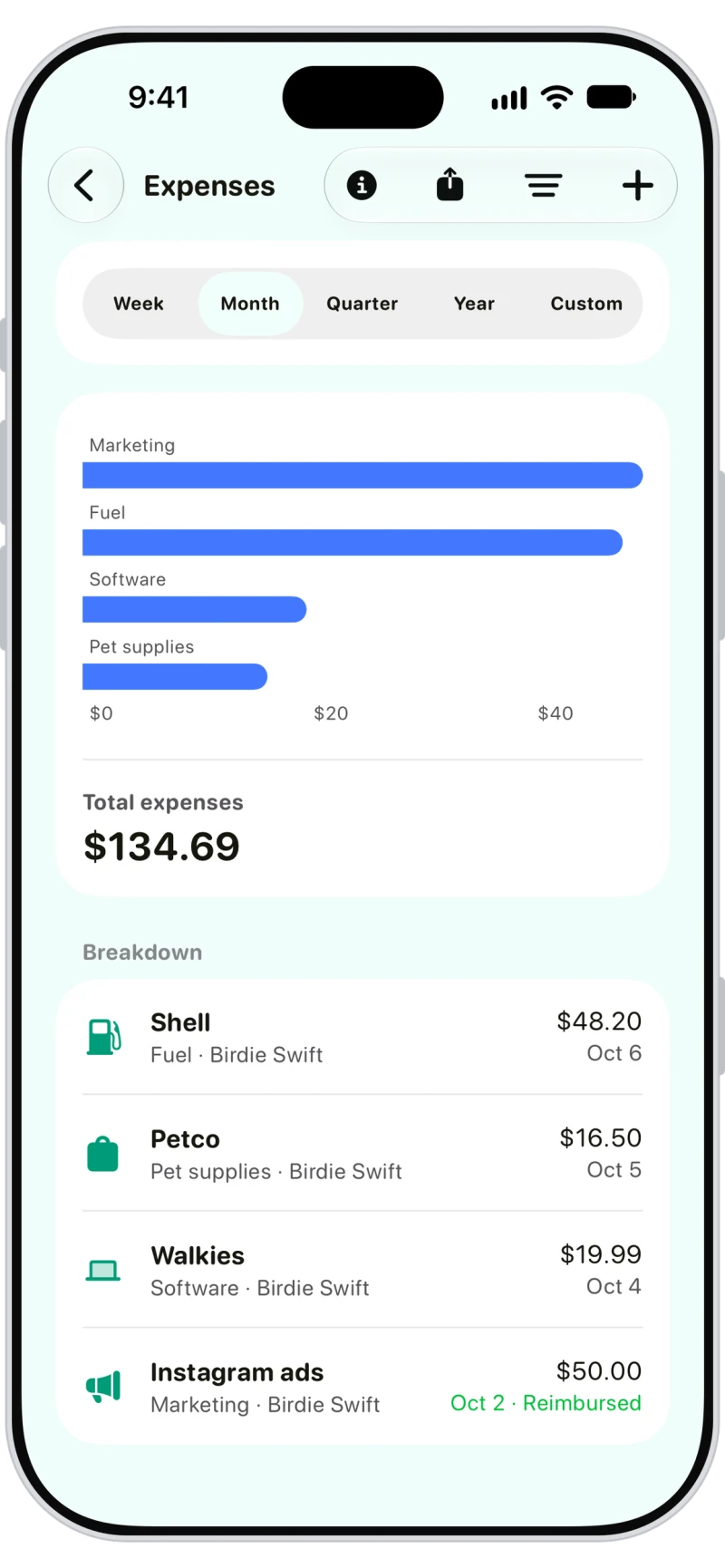
Add expenses with a vendor, amount, category, date and up to 5 receipt photos. Team members can add their own, and admins mark them reimbursed.

Every payment in one list
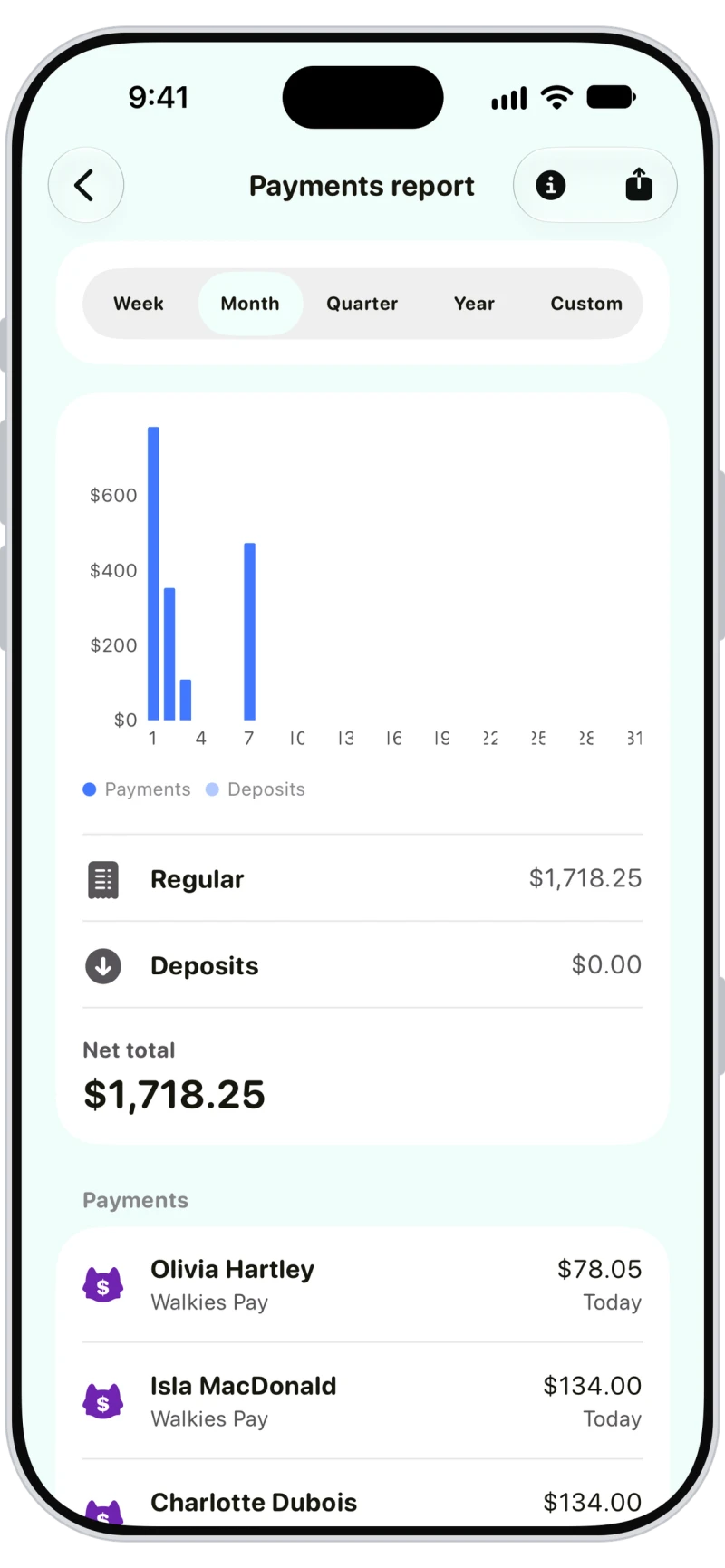
The payments report lists every payment, deposit and refund in the dates you pick, with the payment method, ready to hand to your accountant.

Frequently asked questions
Walkies has a profit and loss report, a payments report, an invoice report, a forecast report, expenses and payroll. Every report covers any week, month, quarter, year or custom dates and exports as CSV.
Profit and loss counts payments when they're received. The invoice report counts invoices. So the two can differ for the same dates.
Yes. Team members can add their own expenses, and admins can mark them reimbursed.
No. Travel logs track your mileage separately. Add fuel or mileage as an expense if that's how you claim it.