Team management and payroll for pet businesses
Add walkers and sitters, assign each appointment, and colour the calendar by team member. Team members only see their own work, never your prices, and payroll is worked out from completed appointments with service, hourly, percentage and mileage rates.
Add walkers and sitters to your team
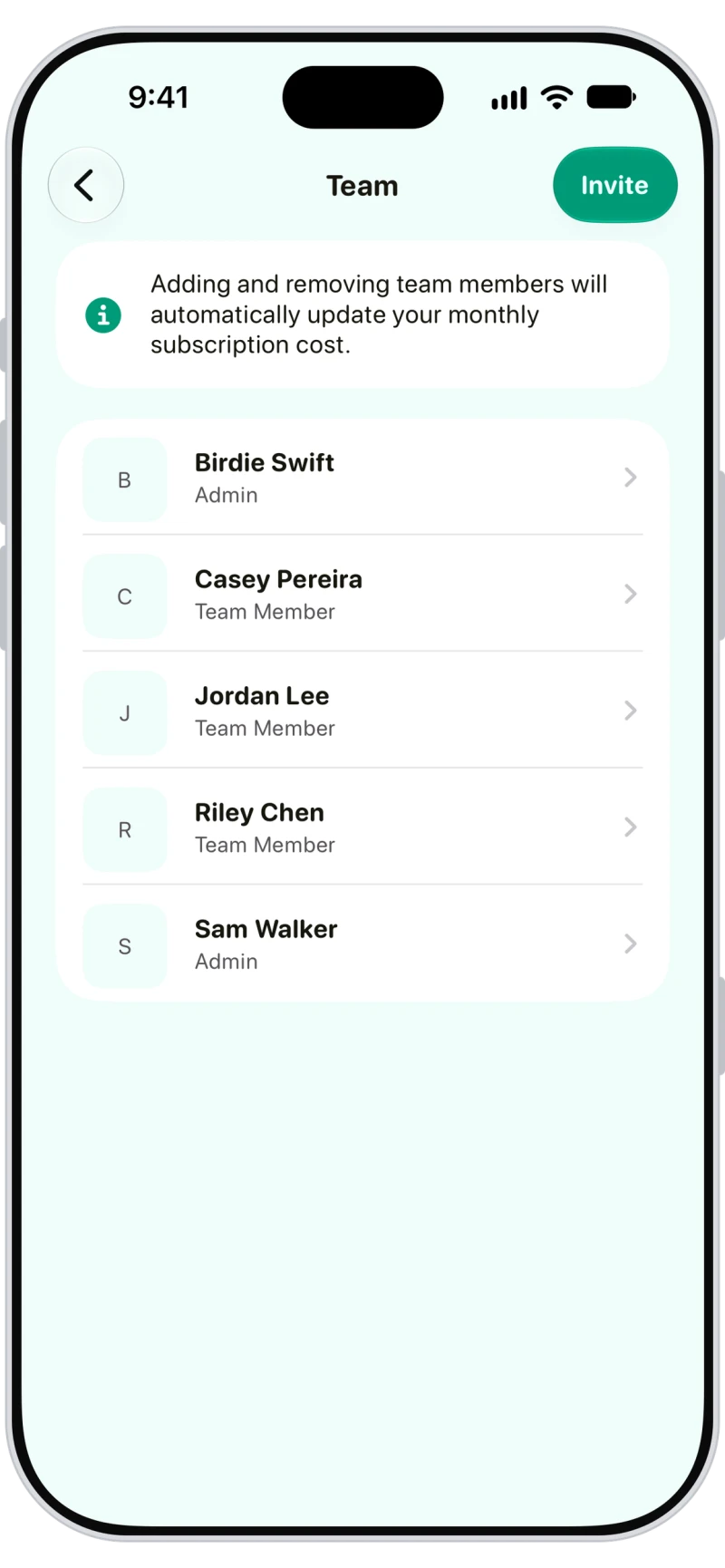
Invite team members from Menu, then Team. Everyone joins as a team member, and you can make anyone an admin. Remove someone and their past work stays.

Assign appointments to team members
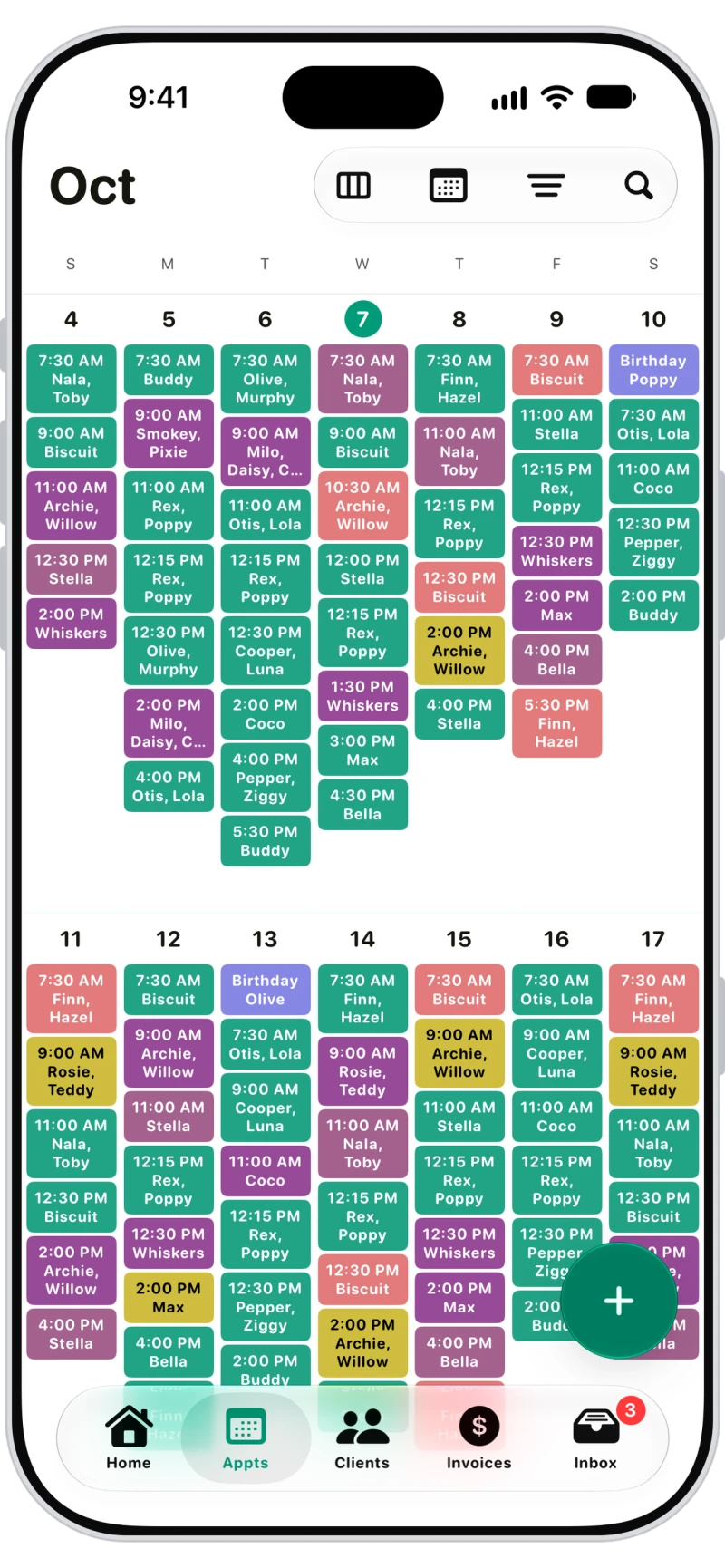
Assign one or more team members to each appointment, filter the calendar by person, and colour appointments by team member so the week makes sense at a glance.

Per-service, hourly and percentage pay rates
Set a service rate, hourly rate and mileage rate for each person, then override the rate per service, or pay a percentage of what the service earns.
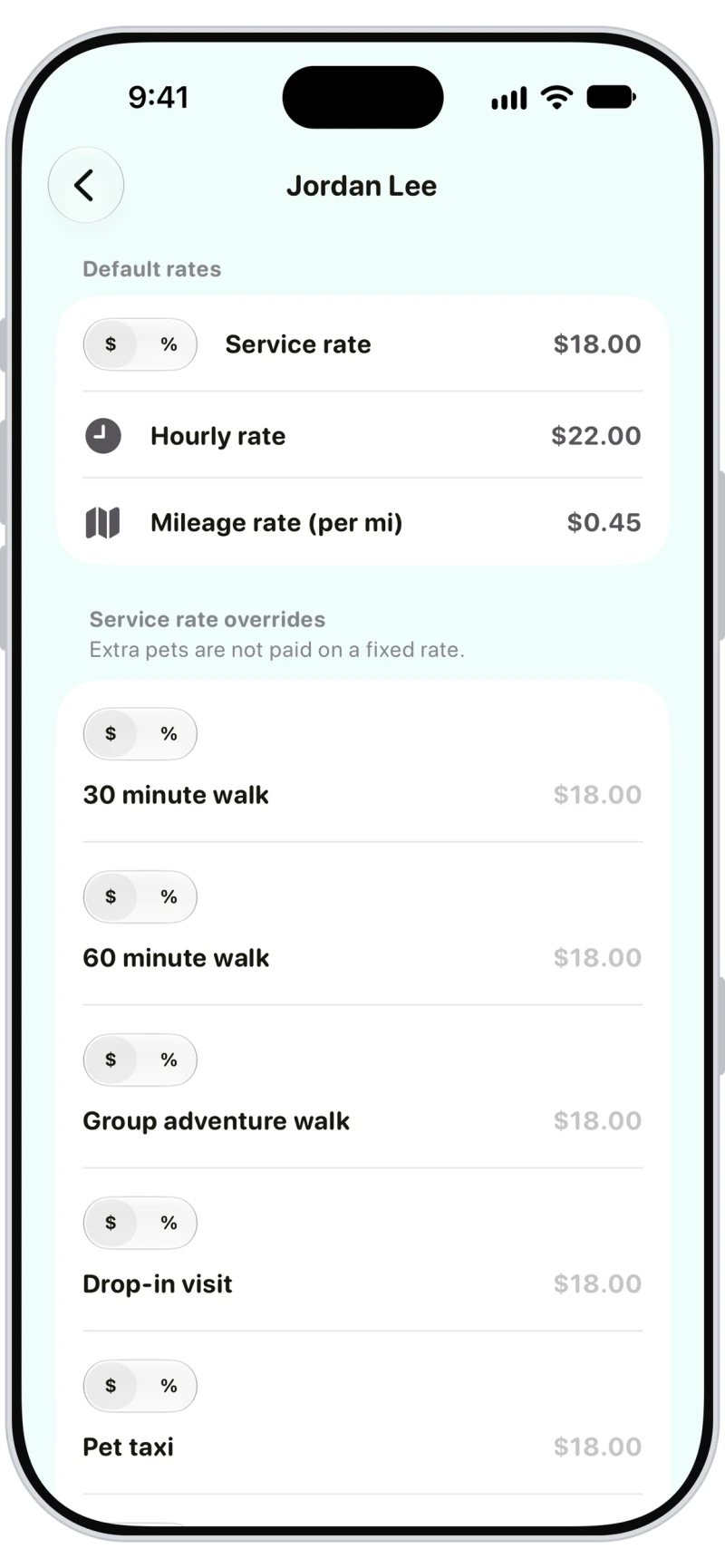

Run payroll from completed appointments
Run payroll between two dates, per service or per hour, with mileage and travel time included if you like. Add tips and extra pay, save it, look back later, and export it as CSV.
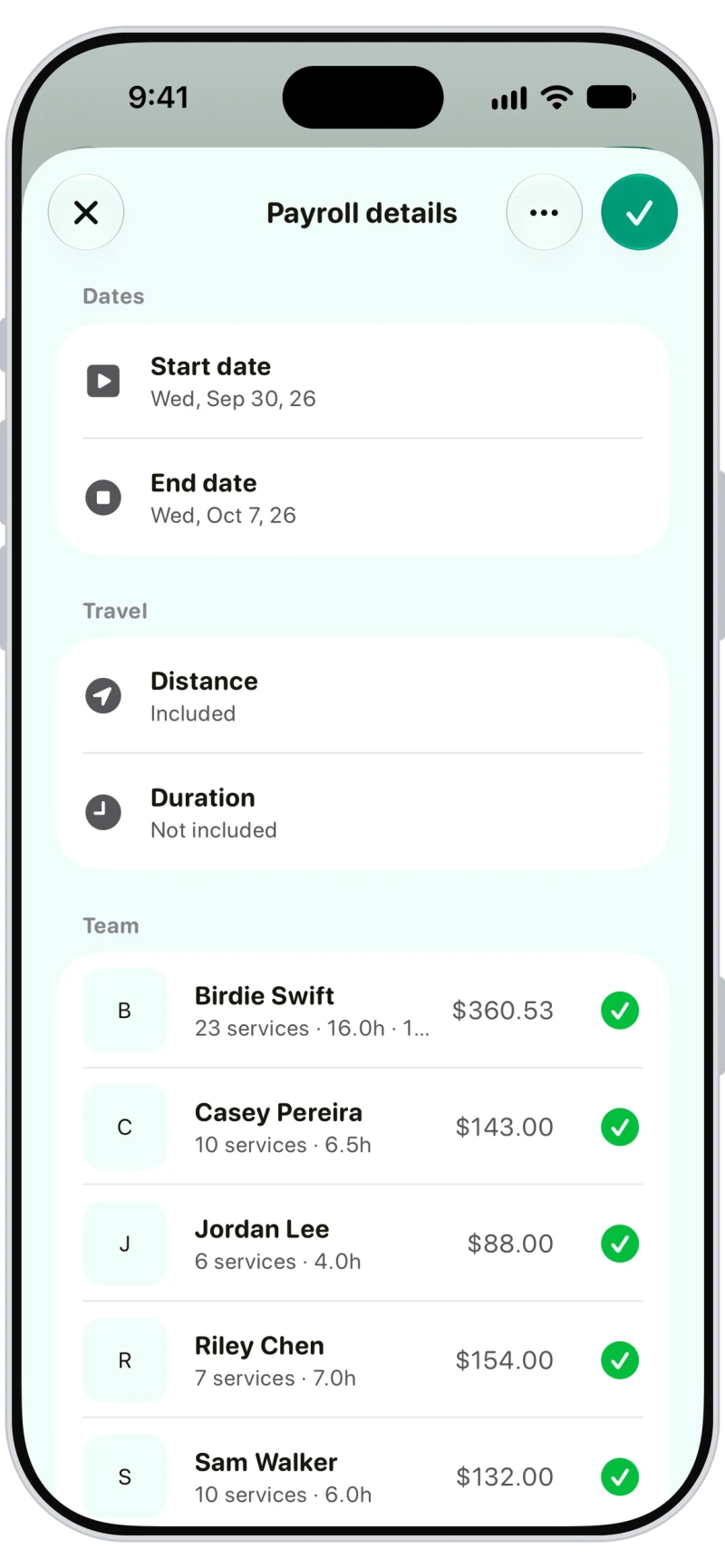

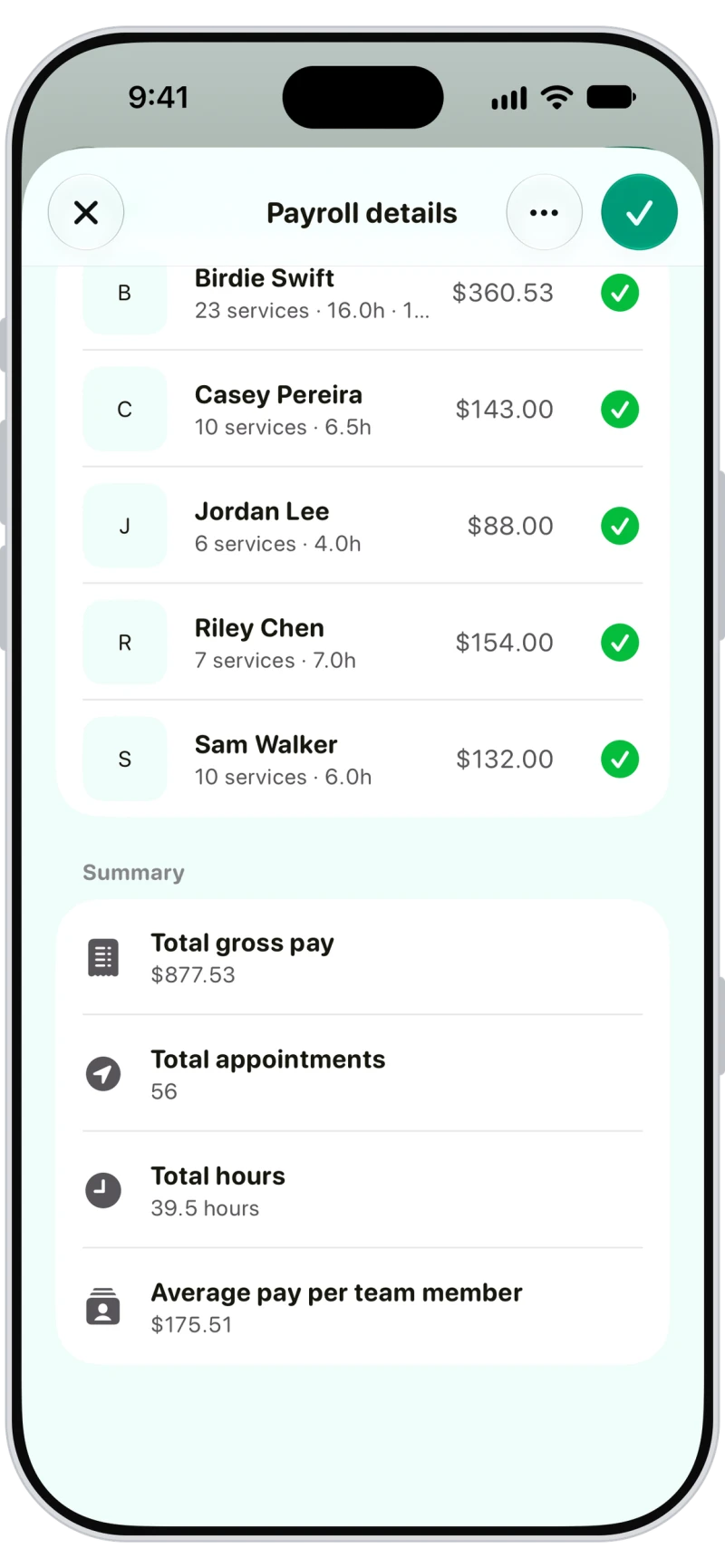
Check payroll totals before you save
Every payroll shows total gross pay, appointments, hours and average pay per team member before you save it.
Frequently asked questions
Yes. Each team member gets the Walkies app with only their own appointments, and you assign work, set pay rates and run payroll.
No. Team members can't see prices, totals, invoices, services, surcharges or reports.
Team members see the appointments assigned to them, with the client's address, access information, emergency contact, notes and pet details, and they can start walks and visits, log updates and send report cards.
No. Payroll uses the booked times. Use extra pay for overtime.